
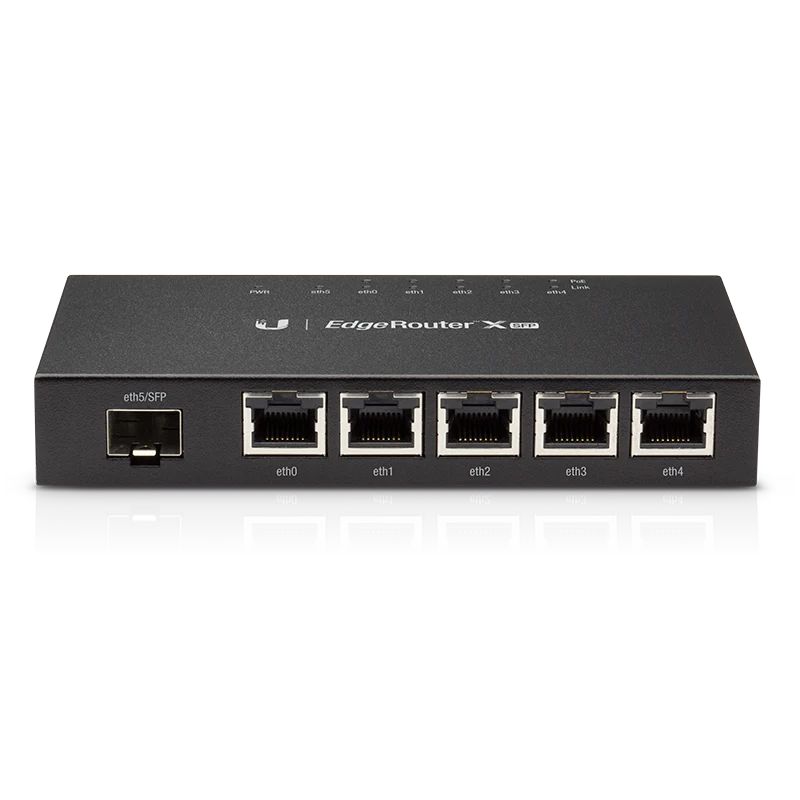
Network congestion happens faster than most people expect. When multiple devices compete for bandwidth, the router becomes the bottleneck. Schools streaming lessons, offices running video calls, and shops processing payments all face the same challenge: keeping everything running when traffic spikes.
Understanding Network Traffic Demands
What High Traffic Actually Means: High traffic isn’t just about the number of connected devices. Ubiquiti routers handle traffic based on simultaneous data requests, not device count. Ten phones browsing social media creates less strain than three CCTV cameras recording in 4K. The difference lies in sustained data flow versus sporadic requests.
The Packet Processing Reality: Advertised speeds tell part of the story. Real performance depends on how quickly a router processes individual data packets. A router claiming 1Gbps speeds might struggle with 50 devices if its processor can’t sort requests efficiently. Quality of Service (QoS) settings become critical here, allowing priority traffic to move ahead of less urgent data.
Real-World Performance Scenarios
Business Operations Under Load: Consider a typical Kenyan SME running point-of-sale systems, security cameras, and staff Wi-Fi simultaneously. Morning rush hours test any network. Payment terminals need instant responses. CCTV footage can’t afford gaps. Staff browsing shouldn’t crash either system. The router must juggle these demands without favouring one over another unless configured to do so.
Voice and Video Stability: VoIP calls expose weak routers immediately. Choppy audio or dropped calls signal processing delays measured in milliseconds. Video conferences multiply this challenge. A router handling high traffic maintains consistent packet delivery, preventing the jitter that ruins conversations. This stability matters more than raw speed specifications.
Choosing Equipment for Load-Heavy Environments
Matching Hardware to Usage Patterns: Small offices might assume basic routers suffice until reality proves otherwise. Calculate actual requirements first. Count devices, estimate simultaneous users, and factor in bandwidth-heavy applications. A restaurant with ten tables, each with payment terminals and guest Wi-Fi, needs different capacity than a warehouse with five security cameras and minimal staff devices.
Processing Power and Memory: Router specifications list CPU speeds and RAM for good reason. These components determine how many simultaneous connections the device manages smoothly. Budget models often use slower processors that struggle when twenty devices connect. Business-grade options invest in better internals, handling fifty or more connections without performance drops.
Port Configuration and Capabilities: Physical ports matter beyond simple connectivity. Power over Ethernet (PoE) simplifies installations by delivering power and data through single cables. This feature particularly benefits CCTV setups and access points spread across buildings. Gigabit ports versus fast Ethernet ports make substantial differences in actual throughput during peak usage.
Performance Features That Matter
Traffic Shaping Tools: Modern routers include features that prevent any single application from monopolising bandwidth. Setting limits ensures CCTV systems don’t starve point-of-sale terminals during busy periods. These controls work automatically once configured, maintaining balance without manual intervention during daily operations.
Monitoring and Management: Understanding network behaviour requires visibility. Quality routers provide detailed statistics showing which devices consume bandwidth and when. This data helps identify problems before customers complain. Perhaps the Wi-Fi printer downloads massive driver updates during lunch rushes, or someone streams video during peak hours.
Installation and Configuration Considerations
Network Planning Basics: Router placement affects performance as much as specifications. Central locations reduce signal degradation. Avoiding obstacles between routers and devices improves reliability. Kenya’s building materials, particularly concrete walls, block signals more than expected. Planning cable runs and access point positions saves frustration later.
Security Without Speed Sacrifice: Firewalls and security features consume processing power. Cheap routers slow noticeably when security activates. Better hardware runs protection without performance penalties. This balance matters in environments handling sensitive data like customer payment information or employee records.
Network performance depends on choosing routers that match actual usage patterns rather than just device counts. Processing capability, proper configuration, and realistic capacity planning prevent the slowdowns that disrupt business operations. Evaluate your specific requirements, consider simultaneous data demands, and invest in equipment designed for sustained high-traffic environments. Ready to upgrade your network infrastructure? Assess your current setup and identify where performance bottlenecks occur before making purchasing decisions.
Featured Image Source: https://www.almiriatechstore.co.ke/wp-content/uploads/2018/08/ER-X-SFP-Ubiquiti-EdgeMAX-5-Port-Gigabit-EdgeRouter-X-5W-SFP.webp